Training Video Production in the San Francisco Bay Area | SOP & Product Tutorials

Updated: Apr 1
Step-by-step training videos are among the most practical investments a Bay Area company or team can make when processes must be followed exactly. Whether you are training lab staff, onboarding operations teams, rolling out a new product, or supporting customers, video reduces confusion and protects consistency.
At Bidar Video, we produce SOP, product, software, and device tutorials across the San Francisco Bay Area with a planning-first workflow designed to capture every step accurately.
In the Bay Area, this kind of training content is especially valuable for biotech and life sciences teams, software and product companies, medical and technical device manufacturers, and facility or cleaning operations. That focus makes sense locally because the region is a major life sciences hub and remains one of the country’s strongest technology markets.

Why Bay Area teams invest in step-by-step training videos
Training videos solve practical business problems. They are not just “nice to have” assets.
Companies invest in them to:
reduce errors and rework
speed up onboarding
improve consistency across teams, shifts, and locations
lower support requests and repeated questions
create a training library that people can access on demand; and
standardize how products, tools, or workflows are used
If a process is worth documenting, it usually warrants filming properly.
Training video production for biotech, software, product, and operations teams
The Bay Area is home to companies and institutions that rely on clear, repeatable processes. That includes biotech sample handling and lab workflows, software tutorials and product education, device operation and troubleshooting, and cleaning or facilities procedures that must be followed consistently.
A strong training video program helps these teams standardize knowledge, reduce avoidable mistakes, and make training easier to scale.
What training video production includes
Training video production is not one narrow category. It is a structured way of teaching visually. Depending on your goals, it can include:
SOP and procedure training videos
Best for operations, quality, lab workflows, manufacturing, facilities, and compliance-driven teams.
Product tutorial videos
Best for cleaning products, consumer products, medical devices, electronics, and any product where correct usage affects results.
Software tutorials and screen recordings
Best for internal tools, Webflow workflows, customer onboarding, and product education when the “steps” happen on screen.
Equipment and technical device tutorials
Best for machines, robotics, specialty tools, and devices where setup or technique directly impacts output.
This is why the same production framework can work across Bay Area industries, whether the subject is a biotech procedure, a software walkthrough, a cleaning solution system, or a technical product demonstration.
The Bidar Video approach: pre-production that prevents missed steps
Most training videos fail before filming even starts. The problem is usually not the camera. It is the lack of a clear step-by-step strategy.
At Bidar Video, our process starts with pre-production because that is where accuracy is protected.
We build a Step Map before the shoot
Before production day, we map the full process and identify what must be shown.
That includes:
the full step order
tools, materials, and prep requirements
critical control points
common mistakes to avoid
what should be shown on camera versus supported with graphics
what “done correctly” looks like at the end
This step map becomes the blueprint for filming.
We convert the Step Map into a shot list
Once the steps are approved, we build a shot list that covers:
wide shots for context
tight shots for hands-on detail
inserts for labels, measurements, settings, screens, or controls
proof shots that confirm the final result
This is how we avoid the most expensive sentence in production: “We forgot to film that part.”
We use a guide voice-over to plan timing and protect accuracy
Before filming, we work with the client to shape a temporary voice-over and use it to build the shot list and pacing of the video. On set, the producer plays that guide track line by line so the talent can perform each action in the correct sequence and timing.
After the client approves the draft edit, we replace the guide narration with a final voice-over recorded by a professional voice artist. Before recording, we confirm pronunciation, terminology, and phonetics with the client to ensure the final narration is accurate and polished.
We use expert review checkpoints to protect accuracy
Training videos need subject-matter integrity. We build review points so the content stays accurate:
Step Map approval before filming
rough cut review for step order and terminology
final QC for labels, measurements, and callouts

Production strategy: how we film training videos so they are easy to follow
Training videos are filmed differently from event recap videos or marketing sizzles. The goal is not just to make the footage look good. The goal is to make the process understandable.
Clarity-first camera work
We capture:
consistent primary angles for orientation
precision close-ups for the steps that matter most
inserts that show controls, labels, measurements, and settings
result shots that prove the process was completed correctly
Audio that makes instruction usable
If the viewer cannot clearly understand the instruction, the training video quickly loses value. We plan audio carefully so the content can actually be used in the real world.
Lighting that improves readability
Good lighting is not about making the scene dramatic. It is about making steps easy to see. We light for:
hand visibility
product readability
screen clarity
consistent color and exposure

Post-production built for training, not just visuals
Training videos should feel organized and easy to scan. In post-production, we structure them so viewers can follow without guessing.
We typically include:
step titles such as Step 1, Step 2, Step 3
on-screen callouts for measurements, settings, safety notes, and reminders
lower thirds when a presenter or SME appears on camera
captions for accessibility and silent viewing
Chapter-style structure for longer workflows
We can also deliver:
a full master module
short modules by section
micro clips for refresher training
troubleshooting clips for common mistakes
exports for LMS platforms, internal portals, websites, and mobile viewing
Real step-by-step training videos we’ve produced
The projects below show why this niche works so well in the Bay Area. The production method stays disciplined, but the subject matter can vary from biotech workflows to cleaning systems, software education, and technical product training.
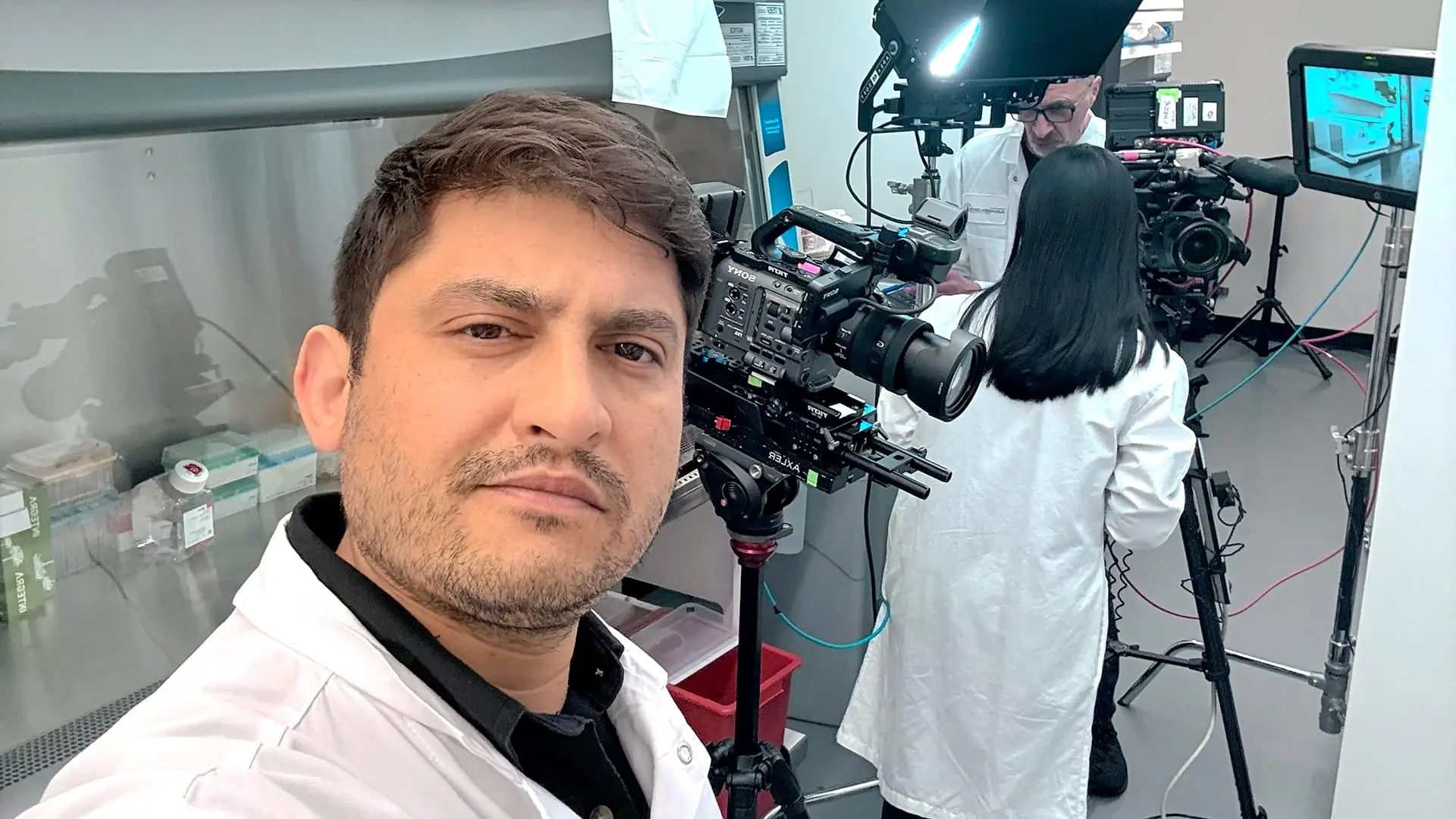
Portal Therapeutics (a GondolaBio affiliate): PD Sample Collection & Processing Training
For Portal Therapeutics, we (a joint production with Alan Cash) produced a step-by-step training video covering PD Sample Collection & Processing. This kind of work requires careful pre-production, close-up coverage, and a structured edit so teams can follow the workflow consistently.
This type of training is especially useful when the goal is to reduce procedural variation and make execution repeatable across staff or sites.

Alan Cash, our production partner, reviewing the script before filming. 
Skilcraft: cleaning solutions training with a dilution system
We created a comprehensive training video for Skilcraft cleaning solutions, explaining proper usage across products and showing how to make solutions correctly using a dilution system.
For this kind of project, visual clarity matters. Ratios, labels, product order, and correct output all need to be shown in a way that teams can replicate confidently.

Filming the Skilcraft dilution system training on location. 
Capturing the detail shots that make training easier to follow. 
Close-up of hands connecting parts on a dilution control system during filming of a step-by-step cle 
Controlled tabletop setup for product training visuals. 
Product tutorial scene monitored live during filming. 
Final product lineup for the Skilcraft training video.
Genie’s Sheets: step-by-step cleaning product tutorial
We produced a detailed how-to video on how to properly use the Genie’s Sheets cleaning product. Product tutorials like this work best when they are simple, visual, and structured around the user’s actual workflow.
This kind of content can reduce user error, improve consistency, and support better customer outcomes.


Webflow: padding and margin tutorial
We also created a step-by-step Webflow tutorial focused on the padding and margin section. Software tutorials need a different kind of precision: controlled pacing, clean screen capture, and clear on-screen guidance so viewers do not get lost.
This kind of content is ideal for internal teams, onboarding, and customer education.
Clockwork: robot nail polish machine tutorial for better results
We created a step-by-step training video that shows how to use the Clockwork robot nail polish machine to achieve better, more consistent results.
Technical product tutorials like this are most effective when they combine precise close-ups, clear instructions, and a visible final outcome. That makes the video useful both for training and for reducing avoidable support questions.

Filming the Clockwork robot nail polish tutorial on location. 
Bidar Video filming a step-by-step Clockwork robot nail polish tutorial with lighting, camera, and c 
Capturing the user workflow for the Clockwork tutorial.
What to budget for so that training videos do not get under-scoped
A training video is not the same as a recap video. If you only budget for someone to “capture some footage,” you usually end up with a video that looks fine but fails as a training tool.
Training video production typically includes:
pre-production planning time
Step Map development
shot list creation
production time for clear, repeatable coverage
post-production time for step titles, callouts, captions, and multiple exports
SME review time for quality control
That is what makes the final content usable long after the shoot day.
Common mistakes that weaken training videos
The most common problems are predictable:
filming without a Step Map
missing close-ups where precision matters
poor audio
one long video with no chapters or titles
no export strategy for where the content will actually live
The best training videos are not the most flashy. They are the most usable.
Plan My Training Video Program
If you need step-by-step training videos for biotech procedures, product tutorials, cleaning workflows, software education, or technical devices, we can help you build a training program that is clear, accurate, and built for long-term use.
Plan My Training Video Program. Share your product or process, your audience, and your training goals. Bidar Video will map the steps, plan the capture, and deliver training videos that help your team work more consistently.
Bidar Video Production
1 Embarcadero Ctr, 1200, San Francisco, CA 94111
+1 415-660-0082
+1 925-214-8867

FAQ
How long should a training video be?
Most effective training videos are either 3–10 minutes for a single workflow or split into smaller modules for easier reference.
Do you film on-site in the Bay Area?
Yes. We produce training videos across the San Francisco Bay Area, including labs, offices, facilities, and product demo environments.
How do you make sure no steps are missed?
We use a Step Map, a shot list tied to each step, and subject-matter review checkpoints before and after filming.
Can you add step titles, callouts, and captions?
Yes. Those are some of the most useful parts of a training edit because they improve clarity and make the video easier to use.
Can you deliver LMS-ready exports?
Yes. We can export training videos for LMS systems, internal portals, websites, and mobile access.
Do you produce software tutorials and screen-recorded training?
Yes. We can produce software tutorials, including structured screen recordings with clear pacing and on-screen guidance.


